.png)
Start for free
We respond within 24 hours. Please note we only respond to business inquiries.

Allow cookies to watch this video
Alternatively, you can watch the video on our YouTube channel.

PowerPoint Export: Edit and customize slides freely
At Zapdeck, our mission is to make slide design effortless and lightning fast with AI. Many of you have asked for one particular feature: the ability to edit your slides in PowerPoint.
Today, we’re excited to announce PowerPoint Export, allowing you to take your Zapdeck presentations and work with them directly in Microsoft PowerPoint.
With this update, you can now export your slides as standard .pptx files. That means charts, text, and layouts are completely editable, just like slides you’ve created manually.
Why PowerPoint export?
While Zapdeck makes it easy to design beautiful slides in seconds, many teams need to tweak their decks before sharing or presenting — whether that’s updating data in a chart, adjusting branding, or adding last-minute notes.
PowerPoint remains a core tool for collaboration and review. Now, you can take the best of both worlds: Zapdeck’s speed and AI-powered design, plus PowerPoint’s flexibility and familiarity.
How it works
Exporting your slides is simple:
- Open your presentation in Zapdeck.
- Click the “Export” button in the top right corner of the screen.
- Choose a location on your computer to save the file.
- Open the file in PowerPoint and edit freely.
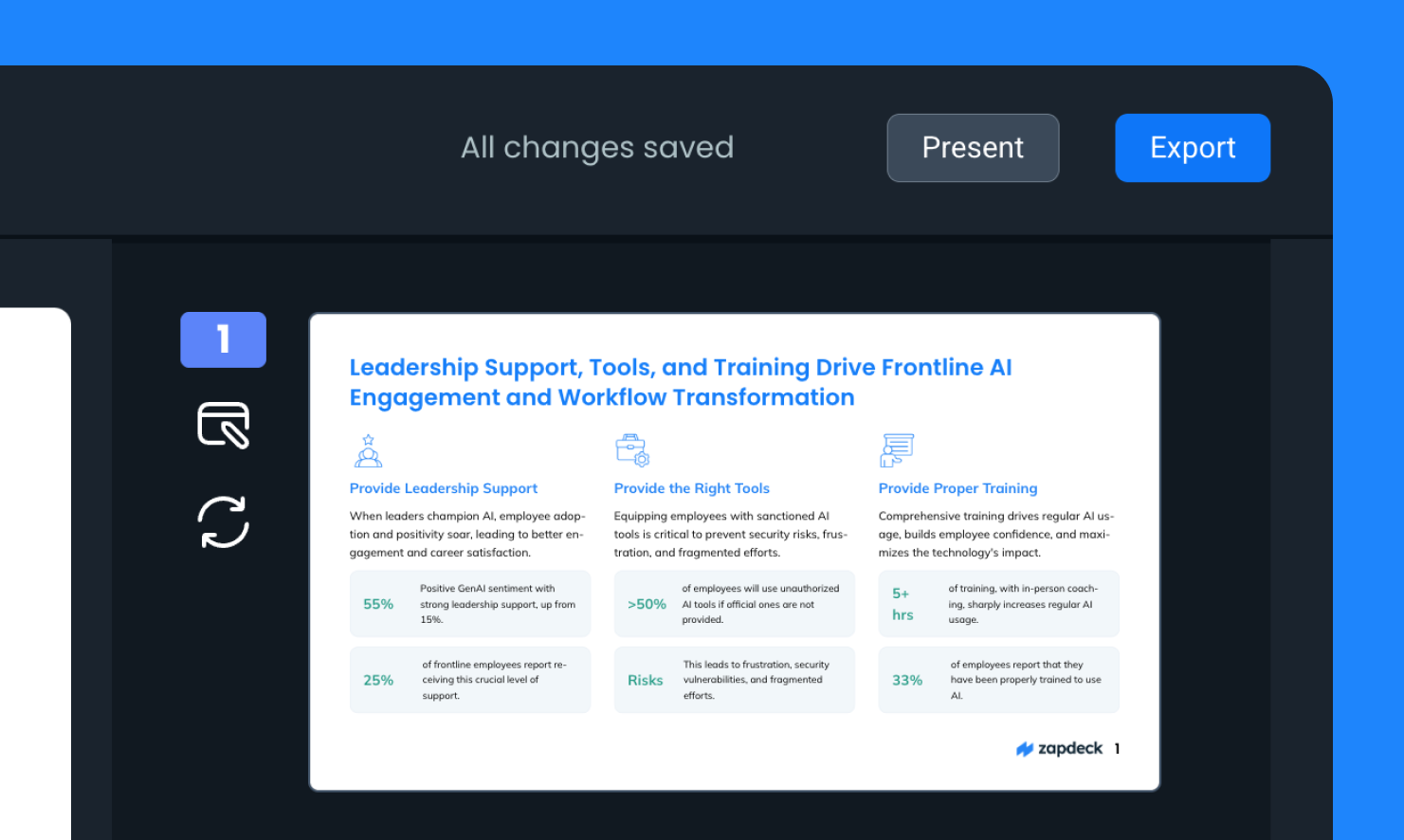
That’s it — no extra steps, no special formats. Your slides open in PowerPoint exactly as you’d expect, ready for full customization.
Conclusion
PowerPoint Export bridges the gap between AI-driven design and hands-on editing.
With just a click, you can take a Zapdeck presentation and open it in PowerPoint, ready to refine, collaborate, and present.
We’re excited to see how this feature helps teams move even faster — from idea to polished, presentation-ready slides.
Give it a try today and take your Zapdeck creations to the next level.
.png)

.avif)
.png)


.png)
.png)
.png)
.png)
.png)
.png)


