.png)
Start for free
We respond within 24 hours. Please note we only respond to business inquiries.

Allow cookies to watch this video
Alternatively, you can watch the video on our YouTube channel.

Component Library – find the right shape for your ideas

A chart makes a revenue trend easier to understand. A roadmap gives a plan a clear direction. And a Venn diagram shows where audiences overlap at a glance. Good Slides make the meaning behind your content visible.
That is what the Component Library in Zapdeck is built for. AI chooses a visual format that fits your content and applies your corporate design, including your company's colors, fonts and logos. You can also take control of that choice yourself.
Turn content into clear visuals
The library offers building blocks for a wide range of messages. Numbers and trends become bar, line or donut charts. KPI cards and traffic lights highlight key figures and project status. Plans take shape as roadmaps or timelines with phases and milestones.
More complex ideas get a clear visual structure, too. Process diagrams explain workflows, cycle diagrams show recurring steps, and Venn diagrams reveal overlaps. Pyramids, matrices and hub-and-spoke layouts help communicate structures and relationships.
You can combine these building blocks. A Slide might pair a donut chart showing your channel mix with cards highlighting the key takeaways. Your content determines which format makes sense.
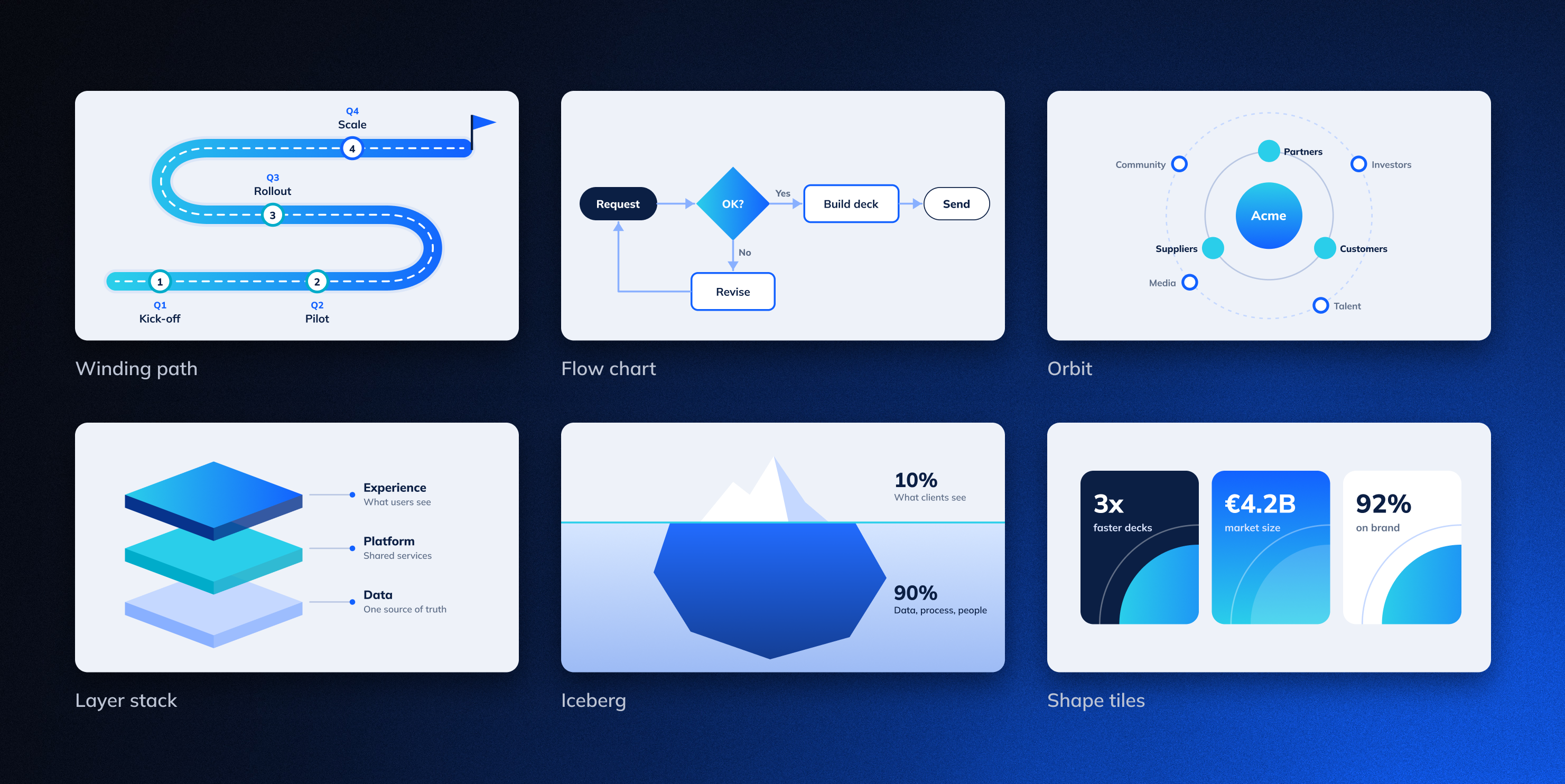
Choose what supports your message
Let AI choose the visual approach or select a component yourself. Browse the available building blocks in the Library and assign one to a Slide before creating it, or use it to update an existing Slide.
A launch plan can become a clear timeline. A traffic light and a few key figures can communicate project status. You can explore the right format for your message without building every visual by hand.
Stay flexible within your brand
In Studio, admins define which components your team can use and how they look. Both AI and users draw from this shared library when creating Slides.
Your corporate design remains the foundation as the content and visual format change. Your team can choose the right way to communicate each message while working with consistent design standards.
Give your ideas more impact
The Component Library means less time spent assembling charts, timelines and diagrams yourself. You can focus on your message and how to make it clear to your audience.
The Component Library is available now. Open the Library and discover the right visual for your next Slide.

.png)
.avif)
.png)


.png)
.png)
.png)
.png)
.png)
.png)


